

Fortona 48TL200 Battery System
Supported Devices
| Device Type | Variants | Modbus TCP (Ethernet) | RS485 | Curtailment |
|---|---|---|---|---|
| Fortona 48TL200 (FZSoNick) | 48TL200 | ❌ | ✅ | ❌ |
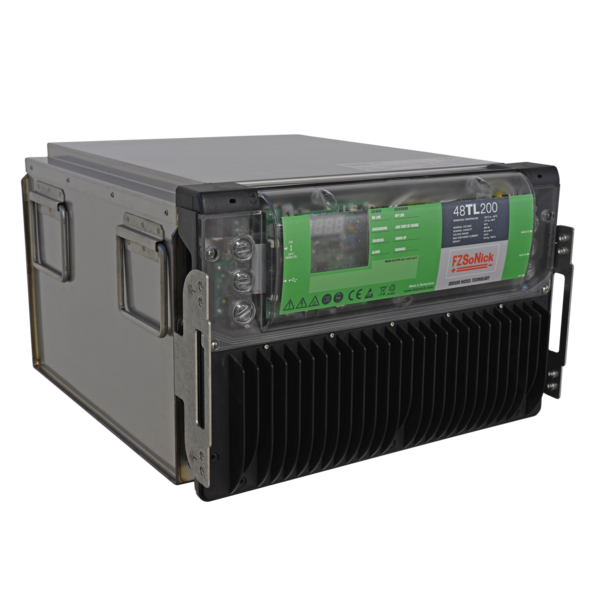
Wiring
The SmartgridOne Controller communicates with the Fortona 48TL200 battery system via RS485 (Modbus RTU).
Connect the RS485 lines to the RJ45 communication ports on the front panel of the battery.
Info
RS485 Wiring
- For correct RS485 wiring: Follow the guidelines for RS485 wiring.
- If the wiring shown in the table below is incorrect, please let us know.
- There is no general consensus in the industry about the usage of A and B for the RS485 polarity, so it may be counterintuitive and opposite of what you might expect for some devices.
| Device | SmartgridOne Controller model OM1 | SmartgridOne Controller model IG8 | RS485-USB converter | RS485-Ethernet converter |
|---|---|---|---|---|
| RS485 D+ | RS485 A | RS485_POS | RS485 A | TX+ |
| RS485 D– | RS485 B | RS485_NEG | RS485 B | TX- |
| GND | RS GND | GND | Not available | G |
Warning
NOTE: RS485 Device Addresses
- You MUST give each device on the RS485 bus a unique address. Check the manual of the device on how to do this.
- Use lower addresses first (1, 2, ...) because the SmartgridOne Controller will find them faster!
- For each device, it is generally recommended to stick with the factory default baud rate, parity, and stop bits. The SmartgridOne Controller will scan on those first.
Configuration
1. Check RS485 Wiring
- Ensure that the RS485 D+, RS485 D–, and GND lines are correctly connected.
- Use twisted-pair cable suitable for RS485 communication.
- If multiple devices are connected to the same bus, terminate the last device according to RS485 best practices.
- Verify that all devices share the same communication parameters.
Tip
Tip
Communication parameters
- Protocol: Modbus RTU
- Baud rate: 115200
- Parity: Odd or Even
- Stop bits: 1
- Modbus address range: 1–247 (each device must have a unique ID)
2. Configure the SmartgridOne Controller
In the SmartgridOne Controller interface:
- Add a new RS485 device.
- Select “Fortona 48TL200 Battery Modbus Protocol”.
- Enter the same RS485 parameters as above:
- Baud rate: 115200
- Parity: Odd (or Even, depending on the system)
- Stop bits: 1
- Set the correct Modbus address for the battery.
- Save and apply the configuration.
Warning
Warning
Each Fortona 48TL200 battery must have a unique Modbus slave ID.
Avoid duplicate IDs on the same RS485 line.
3. Power On and Verify
- Apply 54–60 VDC to the battery system.
- Turn the main switch ON.
- The BMS will initialize — both LEDs on the front panel will blink during startup.
- Once the system is operational, both LEDs turn solid.
- The SmartgridOne Controller should now automatically detect and read data from the battery.
Tip
Tip
The battery automatically begins charging if the state of charge (SOC) is below 100%.